added even more spacing |
No edit summary |
||
| Line 1: | Line 1: | ||
Tools are items that can be equipped and used in your in inventory inside of the "Tools" section. to equip a tool click on the tools icon you want to use and click one of your inventory slots. Some items are useful while others are just for fun. a lot of tools are based off of Roblox gears. | |||
Tools are items that can be equipped and used in your in inventory | |||
==List of Tools== | |||
[[File:Pick fruit image 2.jpg|thumb|Pick fruit image]] | [[File:Pick fruit image 2.jpg|thumb|Pick fruit image]] | ||
===Pick Fruit=== | |||
<blockquote>''"This is how you collect fruits. Not sure why you'd want to unequip this, but the option is there, I guess."''</blockquote> | |||
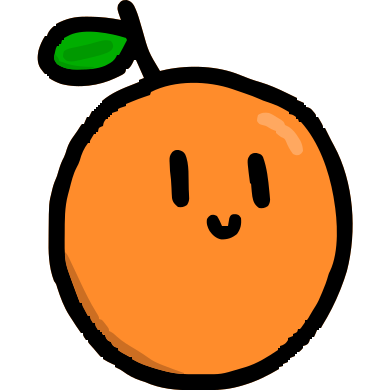
The '''Pick Fruit''' tool is represented by a drawing of an orange being clicked on by a cursor, it has no model when held. When equipped, the item moves your camera to the basket where all the fruit fall into. To collect the fruit, hover your cursor over the fruit. This item is automatically given to all players. | |||
''' | |||
[[File:Planting trowel image.png|thumb|Planting Trowel image]] | [[File:Planting trowel image.png|thumb|Planting Trowel image]] | ||
===Planting Trowel=== | |||
<blockquote>''"A simple, yet useful gardening tool. Use this item to place and remove placeable plants and boosters in your tycoon."''</blockquote> | |||
The Planting Trowel is a trowel with a orange and brown handle. When equipped, it will show slots above all their [[Placeables|placeable slots]]. To change a placeable, click on one of the slots and pick what you want to place there. This item is automatically given to all players. | |||
'' | |||
[[File:Image.png|thumb|Building Kit image]] | [[File:Image.png|thumb|Building Kit image]] | ||
===Building Kit=== | |||
<blockquote>''"The tools of a true architect! Use this item to place and remove decorations on your tycoon."''</blockquote> | |||
The Building Kit is a rolled up blueprint crossed with a hammer with a yellow handle. Equipping the item enters "Build Mode", where players can place down any decorations they may have. Clicking the red button labelled "Start Deleting" will allow you able to delete the decorations you placed. This item is automatically given to all players. | |||
[[File:Donut.png|thumb|Donut image]] | [[File:Donut.png|thumb|Donut image]] | ||
===Donut=== | |||
<blockquote>''"A tasty treat given to you by a generous construction worker. Shoutout to explosion shirt."''</blockquote> | |||
The Donut is a pink donut with rainbow sprinkles. When equipped and left clicked, the player takes a bite out of the donut and a sound plays. It is obtained by clicking on the box of donuts next to the construction workers in the [[Main Island|Center]]. | |||
'' | |||
[[File:Lantern.png|thumb|Lantern image]] | [[File:Lantern.png|thumb|Lantern image]] | ||
Revision as of 15:36, 20 December 2025
Tools are items that can be equipped and used in your in inventory inside of the "Tools" section. to equip a tool click on the tools icon you want to use and click one of your inventory slots. Some items are useful while others are just for fun. a lot of tools are based off of Roblox gears.
List of Tools

Pick Fruit
"This is how you collect fruits. Not sure why you'd want to unequip this, but the option is there, I guess."
The Pick Fruit tool is represented by a drawing of an orange being clicked on by a cursor, it has no model when held. When equipped, the item moves your camera to the basket where all the fruit fall into. To collect the fruit, hover your cursor over the fruit. This item is automatically given to all players.

Planting Trowel
"A simple, yet useful gardening tool. Use this item to place and remove placeable plants and boosters in your tycoon."
The Planting Trowel is a trowel with a orange and brown handle. When equipped, it will show slots above all their placeable slots. To change a placeable, click on one of the slots and pick what you want to place there. This item is automatically given to all players.

Building Kit
"The tools of a true architect! Use this item to place and remove decorations on your tycoon."
The Building Kit is a rolled up blueprint crossed with a hammer with a yellow handle. Equipping the item enters "Build Mode", where players can place down any decorations they may have. Clicking the red button labelled "Start Deleting" will allow you able to delete the decorations you placed. This item is automatically given to all players.

Donut
"A tasty treat given to you by a generous construction worker. Shoutout to explosion shirt."
The Donut is a pink donut with rainbow sprinkles. When equipped and left clicked, the player takes a bite out of the donut and a sound plays. It is obtained by clicking on the box of donuts next to the construction workers in the Center.

Lantern:
Description: "Light your way through the dark with this shining lantern found atop the lighthouse."
Appearance: A green and black lantern.
Function: when equipped the lantern can be turned on or off by left clicking. when turned on, the lantern admits a bit of light making it easier to see in the dark.
Obtainment: can be obtained by clicking on the lantern on top of a light house on summer island next to a man.

The Sacrifice/Cheez Burger:
Description: "Rescued from certain doom, this prisoner of the food war feels safe in your hands. The question is, should it...?"
Appearance: a cheese burger with a slice of tomato.
Function: When equipped and left clicked your avatar takes a bite out of the burger and a screaming sound effect plays. eating the burger again will not trigger the screaming sound effect again.
Obtainment: can be obtained by finding the burger burning in a campfire screaming with a bunch of tacos watching.